Themes
Getting started
To get started, you need themes enabled in Home Assistant.
The best way to do this is to create a new /config/themes/ directory, and then add the following to your configuration.yaml
frontend:
  themes: !include_dir_merge_named themes/
After restarting Home Assistant, you can place theme files in that directory, load them with the Frontend. reload_theme service.
Theme files are normally yaml documents, which contain settings for the many themeable variables available in Home Assistant.
/config/themes/red.yaml
red-theme:
  primary-color: red
  ha-card-border-radius: 20px
Theme name
The theme name must be on the first row, and the rest should be indented one level.
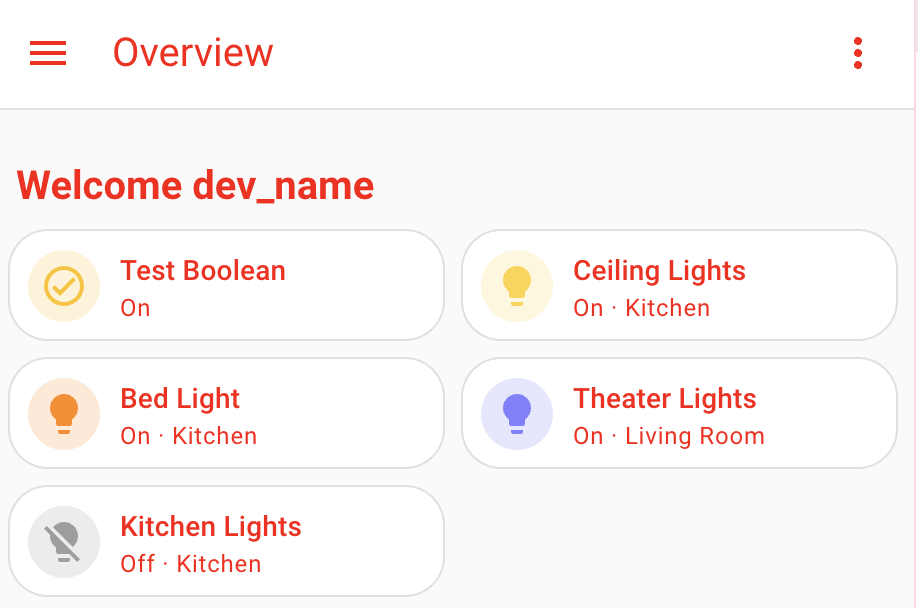
Basic UIX theme
Theme variable
The theme MUST define a variable uix-theme which MUST have the same value as the name of the theme. For example:
my-awesome-theme:
  uix-theme: my-awesome-theme

  ... other theme variables go here ...
/config/themes/red.yaml
red-theme:
  uix-theme: red-theme # this variable must match the theme name including case

  primary-color: red
  primary-text-color: white
  ha-card-border-radius: 20
Once uix-theme is set, we're ready to do some really powerful things.
To apply the basic functionality of UIX globally, you can use the uix-<thing> variables, where <thing> is any theme variable.
For example, say you want a border around every row in an entities card, you may do something like the following.
type: entities
entities:
  - entity: light.bed_light
    style: |
      :host {
        display: block;
        border: 1px solid black;
      }
  - entity: light.ceiling_lights
    uix:
      style: |
        :host {
          display: block;
          border: 1px solid black;
        }
  - entity: light.kitchen_lights
    uix:
      style: |
        :host {
          display: block;
          border: 1px solid black;
        }
This can now be added to our theme instead.
red-theme:
  uix-theme: red-theme
  ...
  uix-row: |
    :host {
      display: block;
      border: 1px solid black;
    }
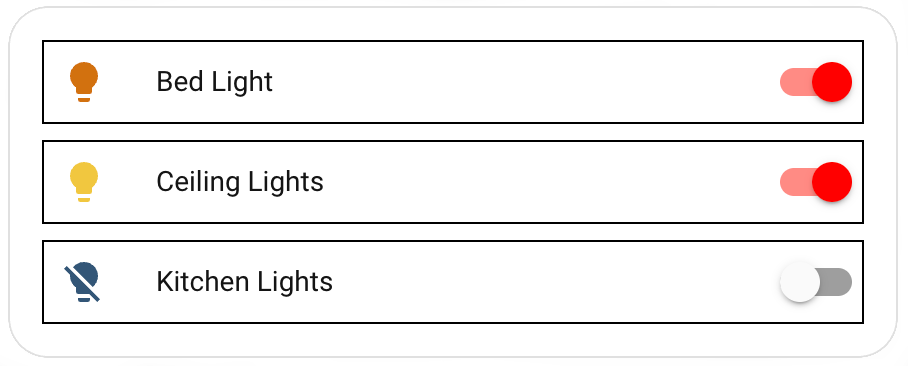
uix-<thing> variables
uix-<thing> variables contain strings containing CSS code, and must start with | or > and be indented at least one step.
Just like normal, you can use Jinja2 templating to process the styles.
red-theme:
  uix-theme: red-theme
  ...
  uix-row: |
    :host {
      display: block;
      border: 1px solid {% if is_state(config.entity, 'on') %} red {% else %} black {% endif %};
    }
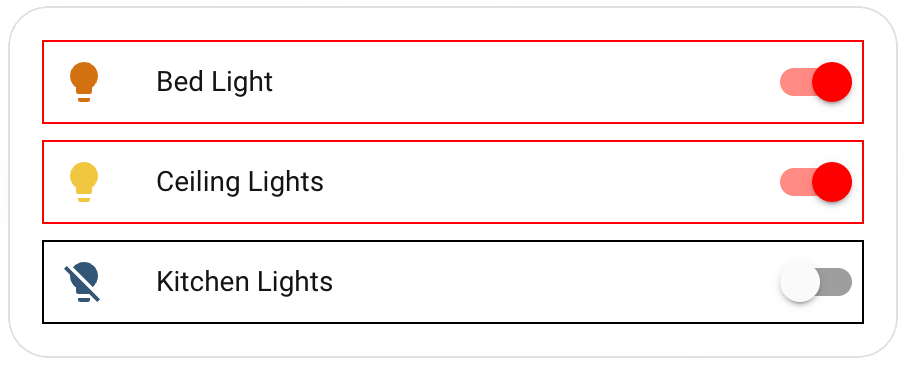
Classes
UIX lets you set a CSS class to elements. You can then use this in your theme.
red-theme:
  uix-theme: red-theme
  ...
  uix-row: |
    ...
    :host(.teal) {
      background: teal;
    }
    :host(.purple) {
      background: purple;
    }
type: entities
entities:
  - entity: light.bed_light
  - entity: light.ceiling_lights
    uix:
      class: teal
  - entity: light.kitchen_lights
    uix:
      class: purple
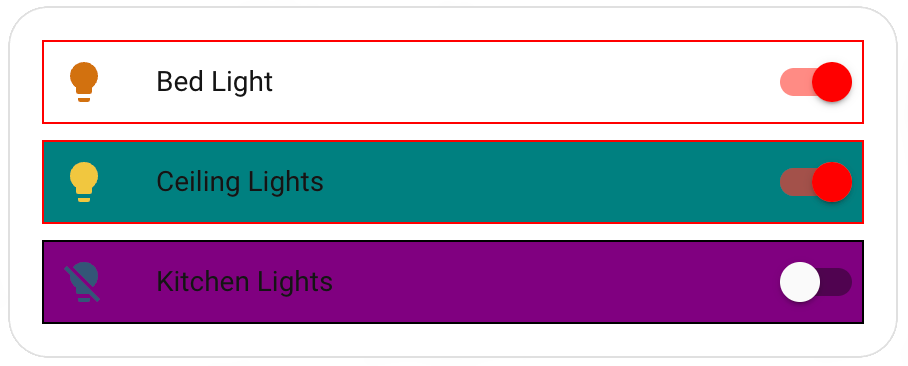
Navigating the shadow DOM
Just like with UIX styles applied to a card, you can traverse the shadow DOM structure of the thing you want to style. To do this, you need to specify the variable uix-<thing>-yaml, and then the syntax is exactly the same.
red-theme:
  uix-theme: red-theme
  ...
  uix-row-yaml: |
    ...
    hui-generic-entity-row $ state-badge $: |
      @keyframes pulse {
        50% {
          opacity: 0.5;
        }
      }
      ha-state-icon {
        animation: pulse 2s infinite;
      }
Theme variables MUST be strings
While the value of the uix-<thing>-yaml variable is actually yaml, as far as the theme is concerned it MUST be a string, which in turn contains more strings.
Updating uix-<thing> variable to uix-<thing>-yaml variable
UIX theme variable precedence
uix-<thing>-yaml always takes precedence over uix-<thing> which is NOT used if uix-<thing>-yaml is present in the theme.
As you develop your UIX themes you are likely to come to a point where you started with straight CSS strings with uix-<thing> but need to update to use uix-<thing>-yaml. You can do this by using the root yaml selector .:. Below is the full example of the red theme using uix-row-yaml.
red-theme:
  uix-theme: red-theme # this variable must match the theme name including case

  primary-color: red
  ha-card-border-radius: 20px

  uix-row-yaml: |
    .: |
      :host {
        display: block;
        border: 1px solid {% if is_state(config.entity, 'on') %} red {% else %} black {% endif %};
      }
      :host(.teal) {
        background: teal;
      }
      :host(.purple) {
        background: purple;
      }
    hui-generic-entity-row $ state-badge $: |
      @keyframes pulse {
        50% {
          opacity: 0.5;
        }
      }
      ha-state-icon {
        animation: pulse 2s infinite;
      }
Theme variables
uix-carduix-rowuix-glanceuix-badgeuix-heading-badgeuix-assist-chipuix-elementuix-rootuix-viewuix-more-infouix-sidebaruix-configuix-panel-customuix-top-app-bar-fixeduix-dialoguix-toastuix-developer-toolsuix-grid-sectionuix-calendar
Also <any variable>-yaml.
Dialogs
uix-dialog and uix-dialog-yaml apply to styles rooted in the dialog element of dialogs which may be ha-dialog, ha-adaptive-dialog, or ha-drawer (notification uses a dialog with an element using the drawer type). Dialogs will also have their class set to type-<dialog-type> where <dialog-type> will be the dialog element name with any ha- prefix stripped. e.g. UIX will append type-dialog-box to dialog boxes as used by alerts and other dialog boxes. The Home Assistant dialog manager places dialogs in the shadow root of the top <home-assistant> element. The active dialog will be the last child of the shadow root. To view what dialog you wish to target, review the last child of this shadow root node.
See UIX guide Styling dialogs with UI eXtension.
Macros
Themes can define reusable Jinja2 macros available to all cards that use the theme. Macros are specified under the uix-macros-yaml theme key as a YAML dictionary of macro definitions — see Templates - Macros for the full macro configuration reference.
```yaml
my-awesome-theme:
  uix-theme: my-awesome-theme

  uix-macros-yaml: |
    is_on:
      params:
        - entity_id
      returns: true
      template: "{%- do returns(is_state(entity_id, 'on')) -%}"
    badge_color:
      params:
        - entity_id
        - name: color_on
          default: "'yellow'"
        - name: color_off
          default: "'gray'"
      template: "{{ color_on if is_state(entity_id, 'on') else color_off }}"
```
Card-level uix.macros take precedence over theme macros of the same name.