 Attribute spark
The attribute spark lets you replace or remove an HTML attribute on any element inside a forged element. A common use-case is removing or overriding the title attribute on an element so that the browser's native tooltip no longer appears, or so that a custom value is shown instead.
Configuration
| Key | Type | Required | Default | Description |
|---|---|---|---|---|
type |
string |
✅ | — | Must be attribute. |
attribute |
string |
✅ | — | Name of the HTML attribute to target (e.g. title). |
for |
string |
element |
CSS/UIX selector to the target element. Supports $ for shadow-root crossings (see DOM navigation). When the UIX Forge element is using Blank card config, the default is uix-forge-blank-card $ div.content. Otherwise, the default of element refers to the root of the forged element. |
|
action |
string |
replace |
What to do with the attribute. Either replace (set a new value) or remove (delete the attribute entirely). |
|
value |
string |
"" |
The new attribute value. Only used when action is replace. Supports Jinja2 templates. |
Tip
You can use the uix_forge_path() DOM helper to take the guesswork out of finding the right path for for.
Usage
Remove a native tooltip (title attribute)
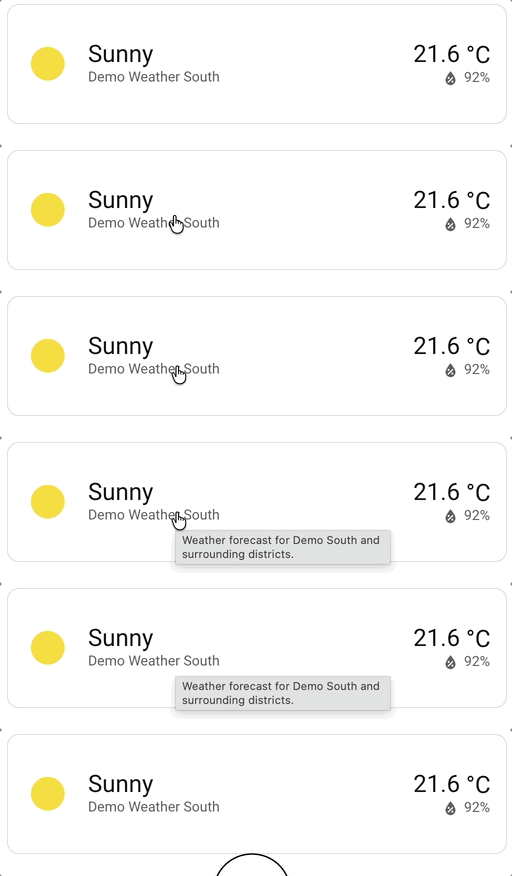
Weather forecast card has a title attribute on the name, which causes a native browser tooltip to appear on hover. To remove it:
type: custom:uix-forge
forge:
  mold: card
  sparks:
    - type: attribute
      for: hui-weather-forecast-card $ div.name
      attribute: title
      action: remove
element:
  show_current: true
  show_forecast: false
  type: weather-forecast
  entity: weather.carlingford
  forecast_type: daily
Replace the title attribute with a custom value
type: custom:uix-forge
forge:
  mold: card
  sparks:
    - type: attribute
      for: hui-weather-forecast-card $ div.name
      attribute: title
      action: replace
      value: Weather forecast for Carlingford and surrounding districts.
element:
  show_current: true
  show_forecast: false
  type: weather-forecast
  entity: weather.carlingford
  forecast_type: daily
Use a template for the value
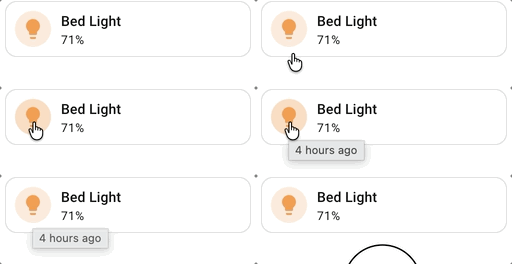
The value field supports templates, giving you access to entity states and other template variables:
type: custom:uix-forge
forge:
  mold: card
  sparks:
    - type: attribute
      for: hui-tile-card
      attribute: title
      action: replace
      value: |
        {{ relative_time(states[config.element.entity].last_changed) }} ago
element:
  type: tile
  entity: light.bed_light
Note
- The spark targets the first matching element found by the
forselector. - When
actionisreplaceandvalueis an empty string, an empty attribute (e.g.title="") is set — not removed. Useaction: removeto delete the attribute entirely.