 Event spark
The event spark receives events fired with Home Assistant action fire-dom-event and exposes the received data as template variables inside forged element. Use it to build cards that react to user interactions or automation-triggered events elsewhere in the dashboard.
Configuration
| Key | Type | Required | Default | Description |
|---|---|---|---|---|
type |
string |
✅ | — | Must be event. |
forge_id |
string |
— | ID for this forge element. Data from fire-dom-event events whose forge_id matches is spread directly into uixForge.event. |
|
other_forge_ids |
list of strings | — | IDs of other forge elements to listen to. Data for each ID is available as uixForge.event.<id>. |
At least one of forge_id or other_forge_ids should be set for the spark to receive anything.
Template variables
When the event spark is active, an event key is added to the uixForge template variable:
| Variable | Description |
|---|---|
uixForge.event.<key> |
Data keys from events matching forge_id, spread directly into uixForge.event. |
uixForge.event.<other_id>.<key> |
Data from events matching an ID listed in other_forge_ids, nested under that ID. |
By default, data accumulates across events — each new event is deep-merged into the existing state. To have the event data replaced use replace: true.
Firing an event
Any Home Assistant element that supports tap_action can fire an event using action: fire-dom-event. Add a uix_forge key alongside action containing a list of forge event objects.
tap_action:
  action: fire-dom-event
  uix_forge:
    - forge_id: my_card
      # replace: false
      data:
        selected: living_room
Usage
Basic example — a button that updates a card
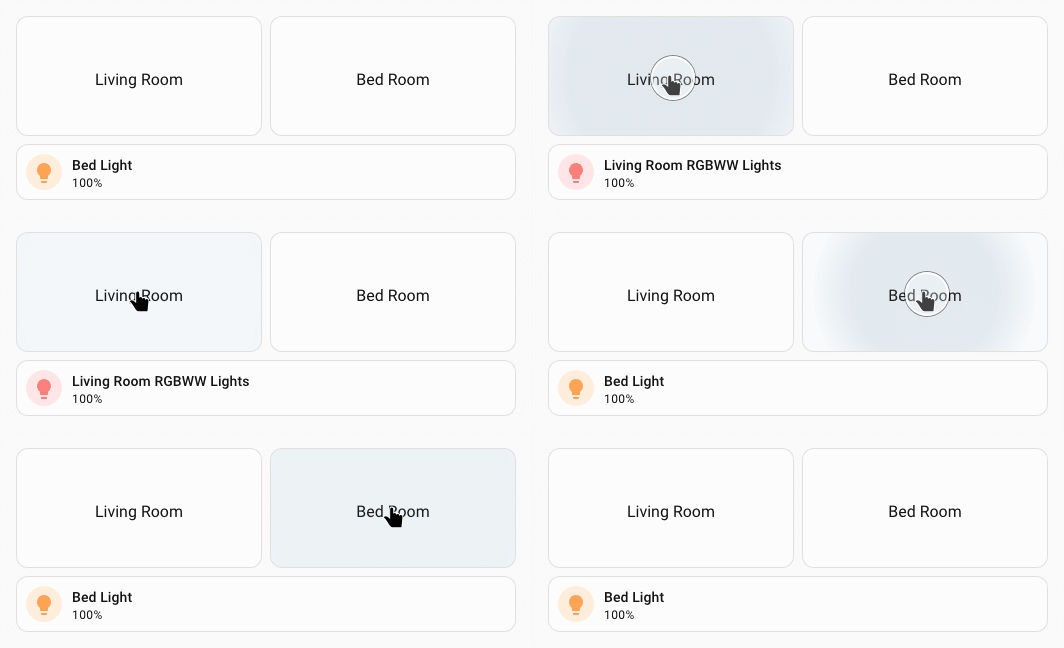
Two button cards fire DOM events; a UIX forge receives it and updates its template:
type: button
name: Living Room
tap_action:
  action: fire-dom-event
  uix_forge:
    - forge_id: my_tile
      data:
        entity: light.living_room_rgbww_lights
type: button
name: Bed Room
tap_action:
  action: fire-dom-event
  uix_forge:
    - forge_id: my_tile
      data:
        entity: light.bed_light
Forged tile that receives and changes tile entity based on event data, with a default which will be used initially as there will be no event data.
type: custom:uix-forge
forge:
  mold: card
  grid_options:
    rows: 1
    columns: full
  sparks:
    - type: event
      forge_id: my_tile
element:
  type: tile
  entity: "{{ uixForge.event.entity | default('light.bed_light') }}"
Listening to another forged element's events
Use other_forge_ids to receive events intended for a different forged element. The data is then available under uixForge.event.<forge_id>:
Tip
While uixForge.event will always exist as a template variable, uixForge.event.<forge_id> will not so you need to check for its existence in the dict prior to accessing, otherwise your template will error. If you are unsure of why a template is not working as expected, you can always use template debugging with {# uix.debug #}.
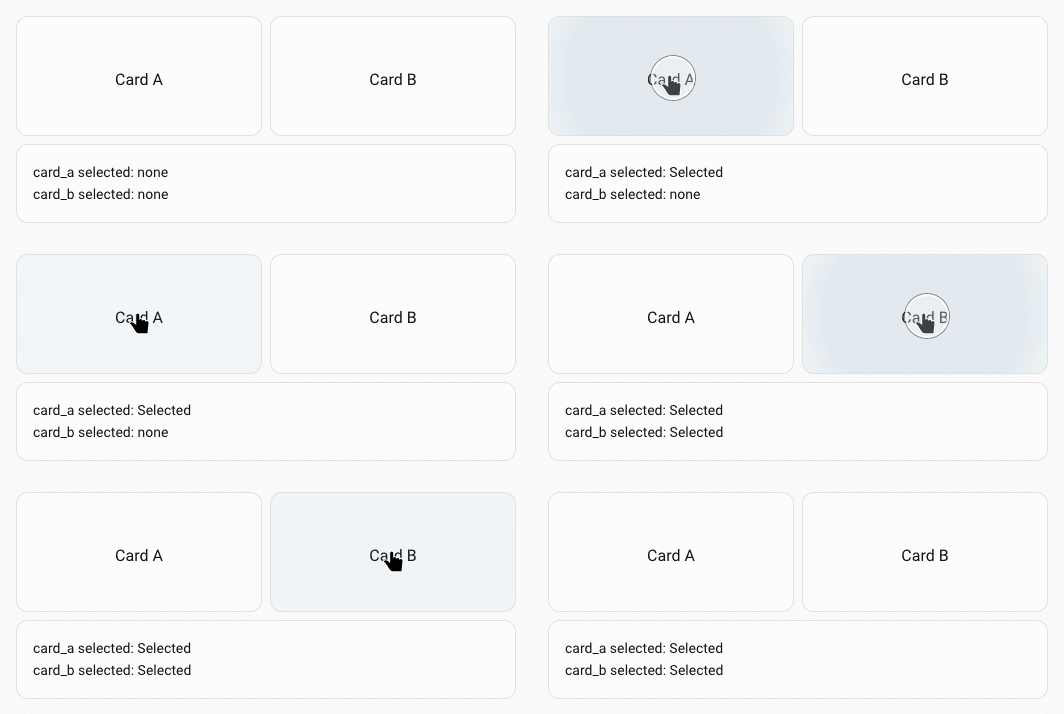
Two button cards fire DOM events; a UIX forge receives as other_forge_ids:
type: button
name: Card A
tap_action:
  action: fire-dom-event
  uix_forge:
    - forge_id: card_a
      data:
        selected: Selected
type: button
name: Card B
tap_action:
  action: fire-dom-event
  uix_forge:
    - forge_id: card_b
      data:
        entity: Selected
type: custom:uix-forge
forge:
  mold: card
  sparks:
    - type: event
      other_forge_ids:
        - card_a
        - card_b
element:
  type: markdown
  content: |
    card_a selected: {{ uixForge.event.card_a.selected if "card_a" in
    uixForge.event else 'none' | default('none') }}
    card_b selected: {{ uixForge.event.card_b.selected if "card_b" in
    uixForge.event else 'none' | default('none') }}
Combining own ID and other IDs
You can set both forge_id and other_forge_ids simultaneously.
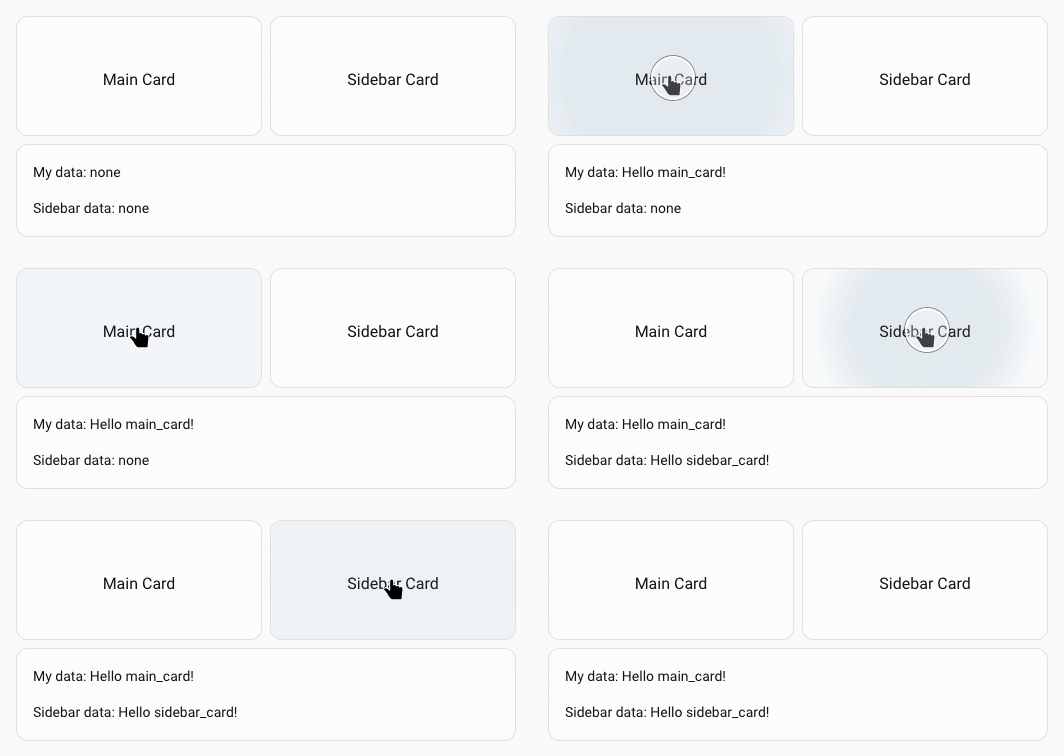
Two button cards fire DOM events; a UIX forge receives as forge_id and other_forge_ids:
type: button
name: Main Card
tap_action:
  action: fire-dom-event
  uix_forge:
    - forge_id: main-card
      data:
        selected: "Hello main_card!"
type: button
name: Sidebar Card
tap_action:
  action: fire-dom-event
  uix_forge:
    - forge_id: sidebar_card
      data:
        data_key: "Hello sidebar_card!"
type: custom:uix-forge
forge:
  mold: card
  sparks:
    - type: event
      forge_id: main_card
      other_forge_ids:
        - sidebar_card
element:
  type: markdown
  content: |
    My data: {{ uixForge.event.data_key | default('none') }}

    Sidebar data: {{ uixForge.event.sidebar_card.data_key if "sidebar_card" in
    uixForge.event else 'none' | default('none') }}
Sending event data to more than one forged element
You can send event data to multiple forged elements at the same time.
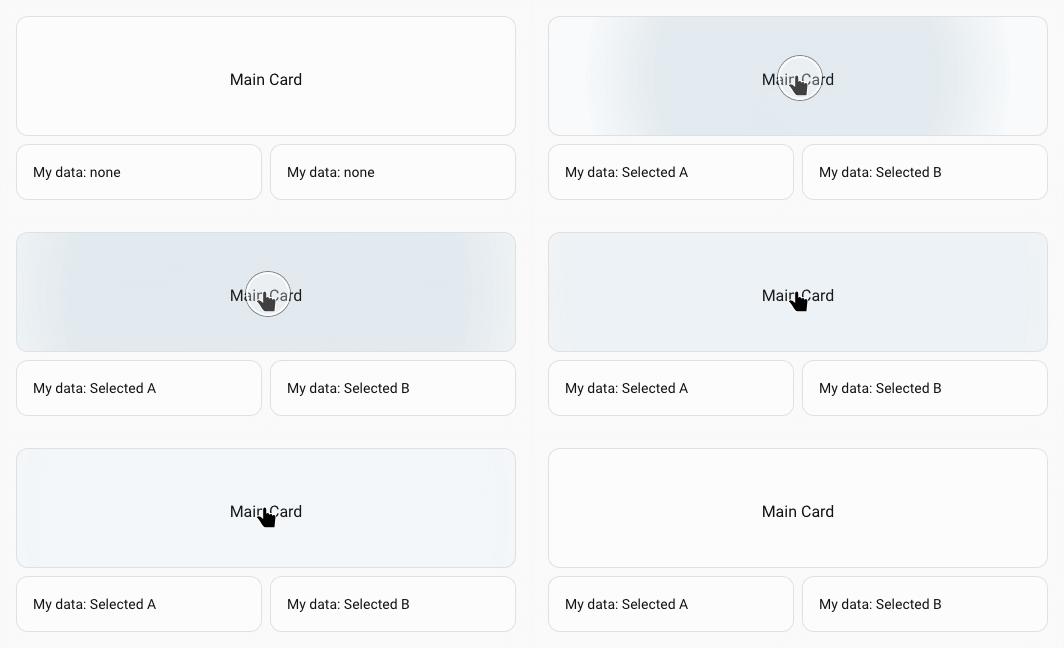
Button card sends forge event data to two forged elements:
type: button
name: Main Card
grid_options:
  columns: full
tap_action:
  action: fire-dom-event
  uix_forge:
    - forge_id: card_a
      data:
        selected: Selected A
    - forge_id: card_b
      data:
        selected: Selected B
Two forged elements receiving event data:
type: custom:uix-forge
forge:
  mold: card
  grid_options:
    columns: 6
    rows: auto
  sparks:
    - type: event
      forge_id: card_a
element:
  type: markdown
  content: |
    My data: {{ uixForge.event.selected | default('none') }}
type: custom:uix-forge
forge:
  mold: card
  grid_options:
    columns: 6
    rows: auto
  sparks:
    - type: event
      forge_id: card_b
element:
  type: markdown
  content: |
    My data: {{ uixForge.event.selected | default('none') }}
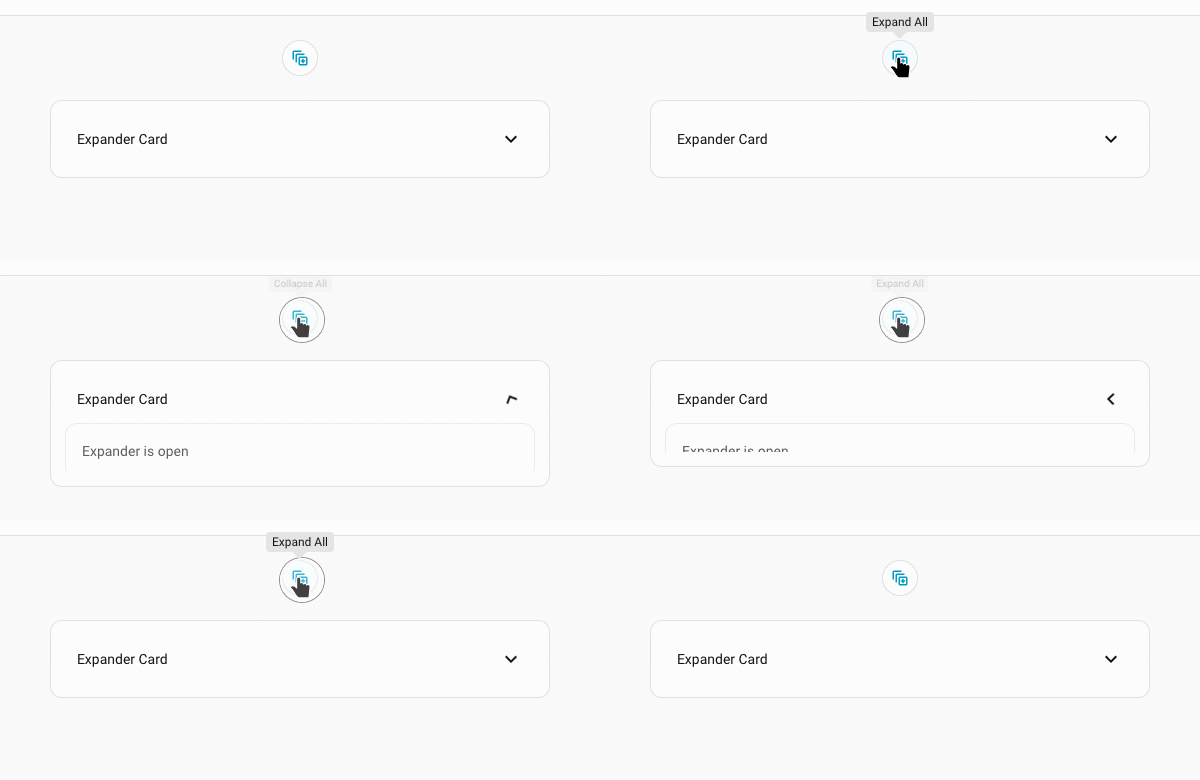
Using a shortcut badge to control expander-card states
This example is used as a badge in dashboard header and will toggle all custom:expander-card cards which have expander-card-id of id_of_target_cards.
  - type: custom:uix-forge
    forge:
      mold: badge
      billets:
        expander_card_id: id_of_target_cards
        expand_txt: Expand All
        collapse_txt: Collapse All
      macros:
        expanded:
          returns: true
          template: "{% do returns(uixForge.event.details | default(false)) %}"
      sparks:
        - type: event
          forge_id: "{{expander_card_id}}"
        - type: tooltip
          content: "{{ collapse_txt if expanded() else expand_txt }}"
    element:
      type: shortcut
      text: " "
      icon: >-
        {{ 'mdi:collapse-all-outline' if expanded() else
        'mdi:expand-all-outline' }}
      tap_action:
        action: fire-dom-event
        expander-card:
          data:
            expander-card-id: "{{expander_card_id}}"
            action: "{{ 'close' if expanded() else 'open' }}"
        uix_forge:
          - forge_id: "{{expander_card_id}}"
            data:
              details: "{{ not expanded() }}"
Note
- The event spark is active as soon as the forge element is connected to the DOM and stops listening when it is removed.
- All string values in the
elementconfig are processed as templates, souixForge.eventis available throughout the element config. - If no matching event has been received yet,
uixForge.eventwill be empty (or absent) — use| default(...)in your templates to handle this gracefully. - Data from successive events is deep-merged, not replaced. Sending a second event with
{ forge_id: "my_card", data: { count: 2 } }after a first one with{ score: 10 }results inuixForge.eventcontaining bothcountandscore.