Developers - Custom cards
Generally UIX should work with all custom cards.
Where UIX will work out of the box
- Custom card loaded by Home Assistant and not child of another custom card. In this case UIX patches via
<hui-card>. - Custom card includes
<ha-card>and stores card config in eitherconfigor_configproperty. In this case UIX patches via<ha-card>.
Where UIX will NOT work without further code or styling from parent card
- Custom card loaded by another custom card that does NOT use modern
<hui-card>method AND - Custom card does NOT use
<ha-card>OR - Custom card uses
<ha-card>but does NOT useconfigor_configproperty to store config. In this case UIX cannot find theuix:config for styling and does not apply.
If your custom card's use falls into the case where it is not working with other custom cards, you can apply UIX directly using uix.applyToElement().
customElements.whenDefined("uix-node").then((uix) => {
  uix.applyToElement(
    el, // The root element
    "type", // Determines which theme variables should apply (uix-<type>, uix-<type>-yaml)
    config, // The UIX configuration. See below
    variables, // Any variables passed on to jinja templates, preferably { config: <element configuration> }. Default: {}
    shadow // whether the styles should be based in the #shadow-root of el. Default: true
    cls // An extra class to apply to the element. Default: undefined
  )
}
The UIX configuration is an object with the following optional properties:
style- UIX style definition (string or object)class- string or array of classes to apply to the elementdebug- boolean to enable debugging mode for the element (defaultfalse)
Example
Custom card javascript:
const LitElement = customElements.get("ha-panel-lovelace")
  ? Object.getPrototypeOf(customElements.get("ha-panel-lovelace"))
  : Object.getPrototypeOf(customElements.get("hc-lovelace"));
const html = LitElement.prototype.html;

class MyAwesomeCard extends LitElement {
  setConfig(config) {
    this._config = config;
  }

  firstUpdated() {
    customElements
      .whenDefined("uix-node")
      .then((uix) =>
        uix.applyToElement(
          this,
          "card",
          this._config.uix,
          { config: this._config },
          true,
          "type-custom-my-awesome-card"
        )
      );
  }

 render() {
    return html`
      <div class="content">
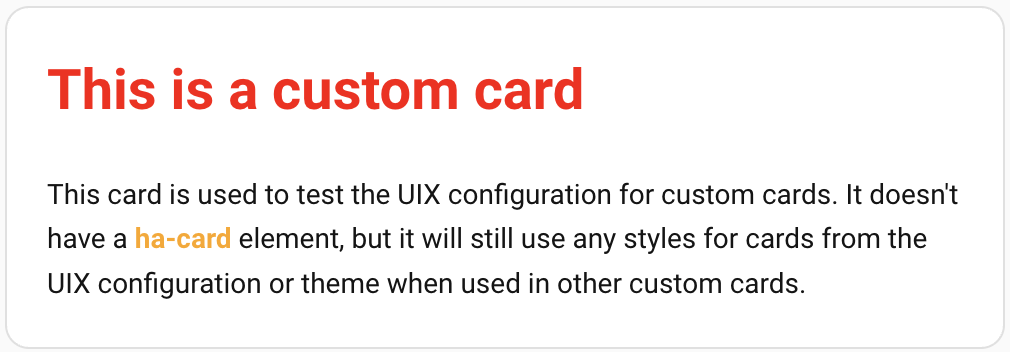
        <h1> This is a custom card</h1>
        <div class="my-class">
          This card is used to test the UIX configuration for custom cards.
          It doesn't have a <b>ha-card</b> element,
          but it will still use any styles for cards from the UIX configuration or theme
          when used in other custom cards.
        </div>
      </div>
    `;
  }
}

customElements.define("my-awesome-card", MyAwesomeCard);
With the following dashboard configuration:
type: custom:my-awesome-card
uix:
  style: |
    .content {
      padding: 0 20px 20px 20px;
    }
    h1 {
      color: red;
    }
And this theme:
UIX Test:
  uix-theme: UIX Test
  uix-card: |
    b {
      color: orange;
    }
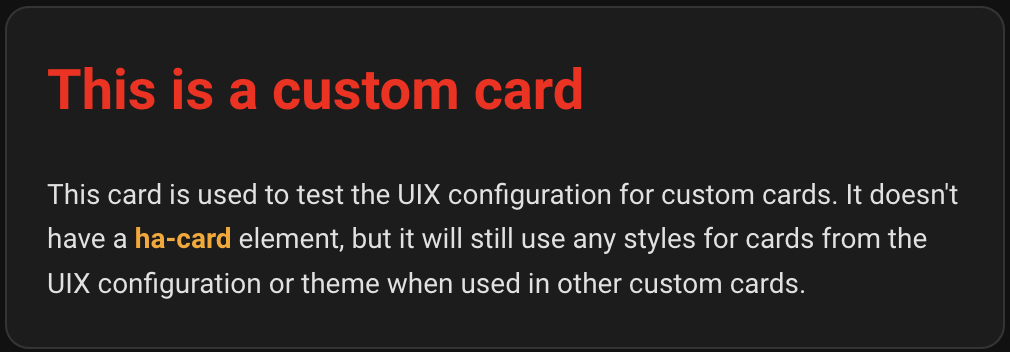
  dark: