Styling entities, badges, elements and entity markers
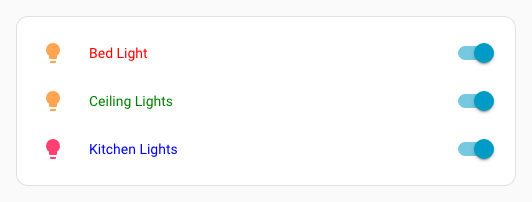
In entities, glance and map cards, each entity can have options. Those elements can be styled individually by adding a uix parameter to the entity configuration.
For those cases, the styles are injected into a shadowRoot, and the bottommost element is thus accessed through :host.
This also applies to view badges and elements in picture-elements cards.
type: entities
entities:
  - entity: light.bed_light
    uix:
      style: |
        :host {
          color: red;
          }
  - entity: light.ceiling_lights
    uix:
      style: |
        :host {
          color: green;
        }
  - entity: light.kitchen_lights
    uix:
      style: |
        :host {
          color: blue;
        }
Styling entities conditional rows
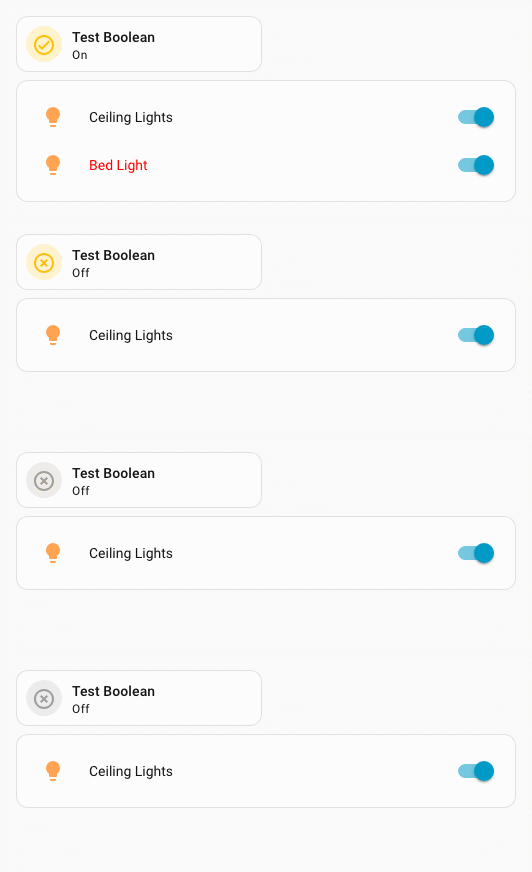
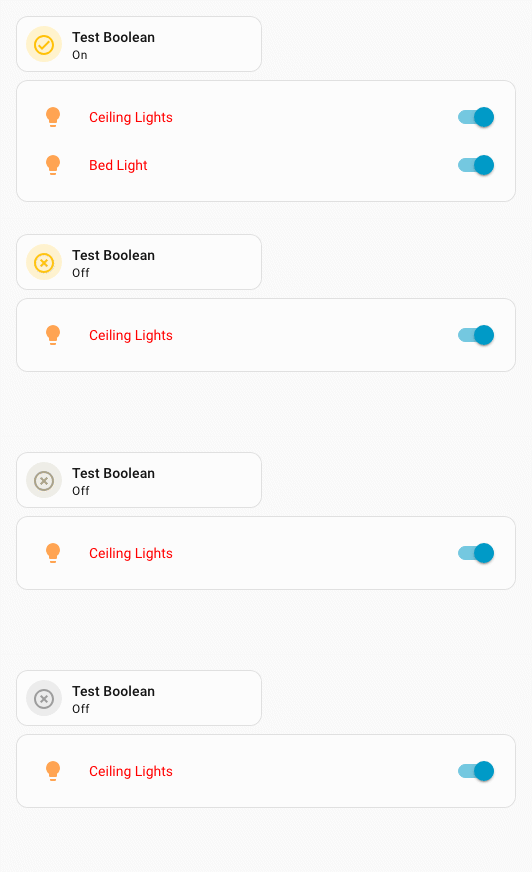
Rows in entities conditional rows can be styled directly. If you style the conditional config itself, you need to take care as the conditional row wrapper is not in a shadowRoot so styles may leak to other rows/elements.
Conditional row examples
Styling a conditional row directly. Only the entity row.
type: entities
entities:
  - entity: light.ceiling_lights
  - type: conditional
    conditions:
      - condition: state
        entity: input_boolean.test_boolean
        state: 'on'
    row:
      entity: light.bed_light
      uix:
        style: |
          :host {
            color: red;
          }
type: entities
entities:
  - entity: light.ceiling_lights
  - type: conditional
    conditions:
      - condition: state
        entity: input_boolean.test_boolean
        state: "on"
    row:
      entity: light.bed_light
    uix:
      style:
        hui-toggle-entity-row $ hui-generic-entity-row $: |
          .row {
            color: red;
          }
Styling a conditional config where styles will 'leak' to all rows.
type: entities
entities:
  - entity: light.ceiling_lights
  - type: conditional
    conditions:
      - condition: state
        entity: input_boolean.test_boolean
        state: "on"
    row:
      entity: light.bed_light
    uix:
      style: |
        :host {
          --primary-text-color: red;
        }
Styling picture-elements conditional elements
The elements in a picture-elements conditional element can be styled directly. If you style the conditional config itself, you need to take care as the conditional element wrapper is not in a shadowRoot so styles may leak to other rows/elements.
Conditional picture-elements example
Styling a conditional element directly. Only the element.
type: picture-elements
image:
  media_content_id: https://picsum.photos/id/870/200/100?grayscale&blur=2
elements:
  - type: state-badge
    entity: light.ceiling_lights
    style:
      left: 25%
      top: 50%
  - type: conditional
    conditions:
      - entity: input_boolean.test_boolean
        state: "on"
    elements:
      - type: state-badge
        entity: light.bed_light
        style:
          left: 75%
          top: 50%
        uix:
          style: |
            :host {
              color: white;
            }
type: picture-elements
image:
  media_content_id: https://picsum.photos/id/870/200/100?grayscale&blur=2
elements:
  - type: state-badge
    entity: light.ceiling_lights
    style:
      left: 25%
      top: 50%
  - type: conditional
    conditions:
      - entity: input_boolean.test_boolean
        state: "on"
    elements:
      - type: state-badge
        entity: light.bed_light
        style:
          left: 75%
          top: 50%
    uix:
      style:
        hui-state-badge-element $ ha-state-label-badge $: |
          :host {
            color: white;
          }
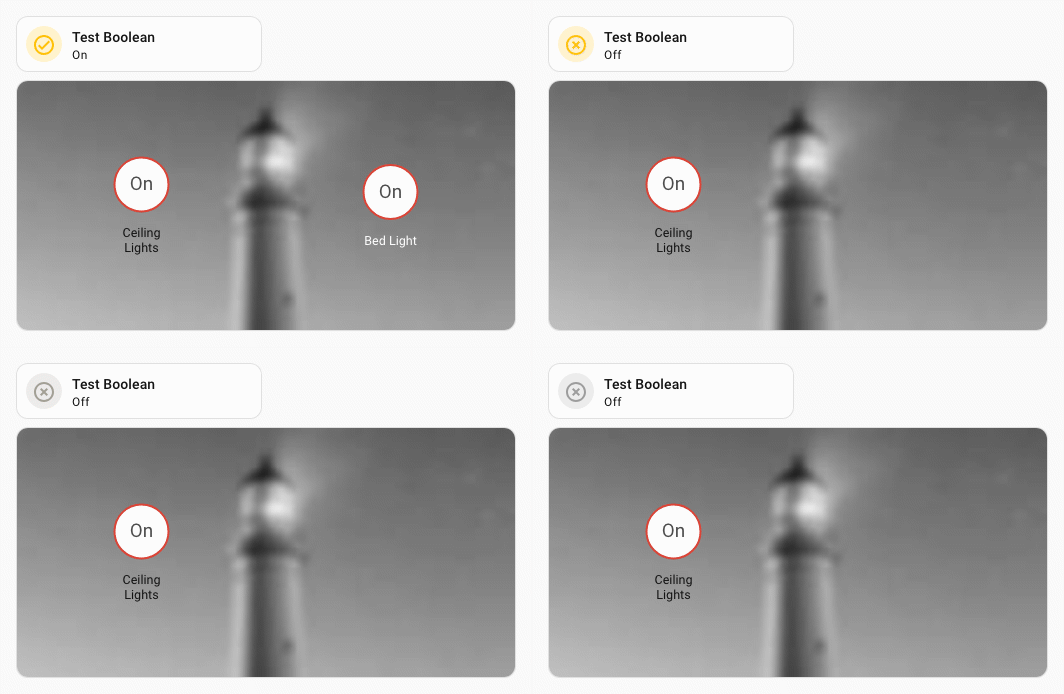
Styling the conditional config where styles will 'leak' to all elements.
type: picture-elements
    image:
      media_content_id: https://picsum.photos/id/870/200/100?grayscale&blur=2
    elements:
      - type: state-badge
        entity: light.ceiling_lights
        style:
          left: 25%
          top: 50%
      - type: conditional
        conditions:
          - entity: input_boolean.test_boolean
            state: "on"
        elements:
          - type: state-badge
            entity: light.bed_light
            style:
              left: 75%
              top: 50%
        uix:
          style: |
            :host {
              --primary-text-color: white;
            }
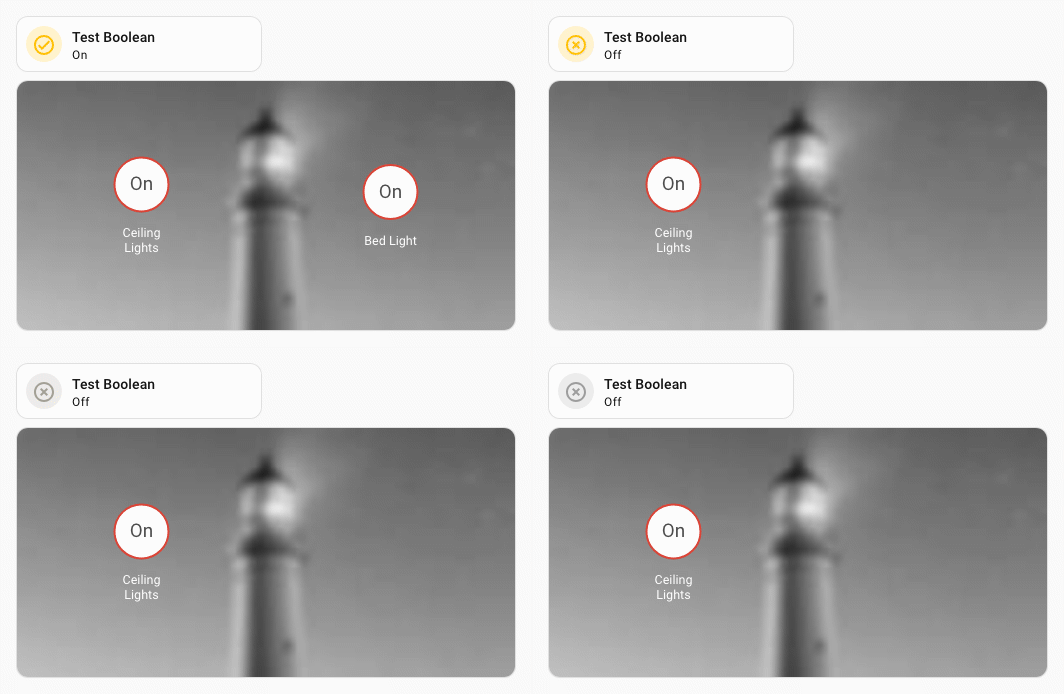
Styling entity markers on a map
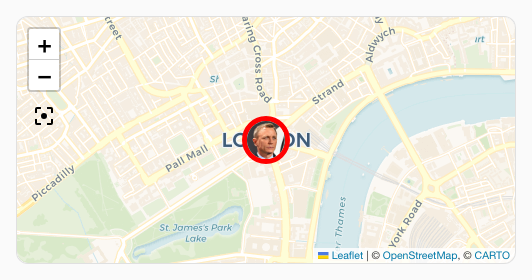
Since Home Assistant 2026.10.0, entity markers and pictures (if set for marker) can be styled by entity marker/picture CSS parts exported to ha-map. Parts marker and picture style all markers on the map. Entity parts marker-<css-safe-entity_id>. The CSS safe entity_id is the entity with the . changed to -.
Style all markers on a map card:
  type: map
  show_all: true
  auto_fit: true
  uix:
    style: |
      ha-map::part(marker) {
        border: red solid 4px !important;
      }
Style marker only for entity person.dev
element:
  type: map
  show_all: true
  auto_fit: true
  uix:
    style: |
      ha-map::part(marker-person-dev) {
        border: red solid 4px !important;
      }
Styling entity markers on a map (Legacy)
The legacy method used prior to Home Assistant 2026.10.0 still works.
Entity markers on a map can be styled individually by card config or by theme. In both examples the picture image is also styled.
Styling by config.
  type: map
  entities:
    - entity: device_tracker.uix_test_person
      uix:
        style: |
          div.marker {
            border-color: red !important;
            border-width: 5px;
          }
  theme_mode: auto
Styling by theme. Here the & host selector is used to take advantage of the ha-entity-marker having the entity-id as an attribute.
  uix-entity-marker-yaml: |
    "&[entity-id='device_tracker.uix_test_person']": |
      :host {
        --uix-image: /local/media/person_grey.png
      }
      div.marker {
        border-color: red !important;
        border-width: 5px;
      }
Both the above will give the following output